Collaborative Editing
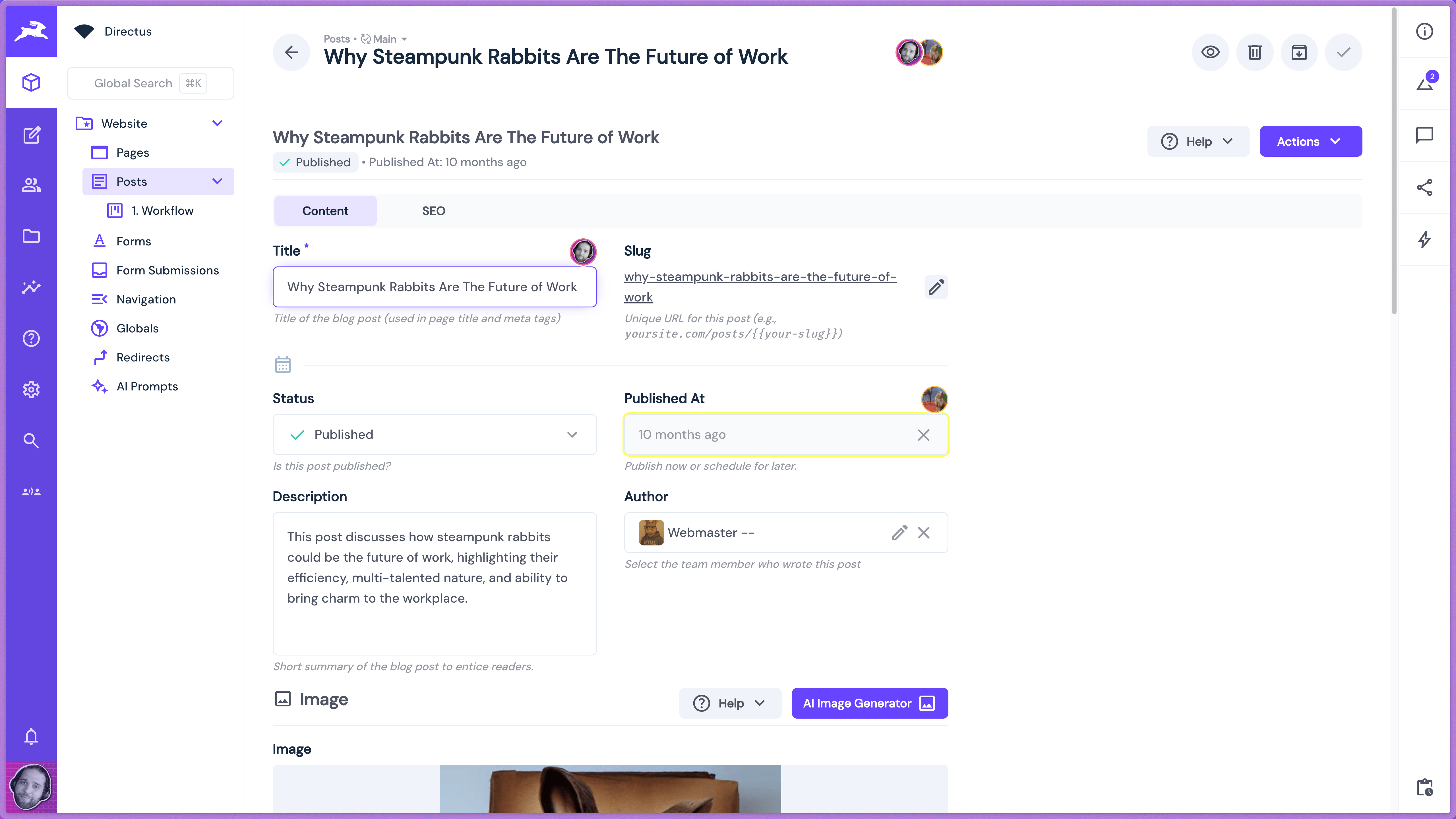
Collaborative Editing transforms your Directus project into a real-time collaborative platform where multiple users can edit content simultaneously. This feature provides conflict-free collaborative editing through smart field locking, user awareness indicators, and instant synchronization across all connected clients.
This documentation covers everything you need to know about configuring, using, and developing with collaborative editing in your Directus projects.
Overview Video
Key Features
- Real-time Collaboration - Multiple users edit simultaneously with instant synchronization
- Smart Field Locking - Automatic conflict prevention through field-level locking
- User Awareness - Visual indicators show who's editing what in real-time
- Universal Support - Works across collections, file library, user directory, and relationships
- Flexible Configuration - Deploy globally across your project
How It Works
Collaborative Editing provides a sophisticated real-time collaboration experience:
| Feature | Traditional Way | Collaborative Editing |
|---|---|---|
| User Awareness | No visibility of other users | Real-time avatars show who's editing |
| Conflict Prevention | Manual coordination required | Automatic field locking prevents conflicts |
| Real-time Updates | Manual refresh needed | Instant synchronization across all users |
| Relationship Editing | Limited to single users | Multiple users can edit related content |
Getting Started
Follow these guides to set up collaborative editing in your Directus project:
Requirements
- Directus 11.15.0 or higher
- WebSockets enabled in your Directus configuration
Technology Overview
The feature uses a custom WebSocket implementation for real-time synchronization and smart field locking to prevent conflicts. All collaborative actions respect Directus user permissions and access controls.
Next Steps
Transform your Directus project into a collaborative workspace where teams can work together seamlessly on content creation and management.
Get once-a-month release notes & real‑world code tips...no fluff. 🐰